


Hi, !
From your account bulletin board you have the ability to see a snapshot of recent account activity and update your account information. Select a link below to view or edit the information.
Free Shipping over ¥20,000


The ideal choice for work and leisure.

Style, functionality, and Italian craftsmanship.

The details that make the difference.

Luggage and accessories for worry-free adventures.

The Piquadro women's selection


DNA
Discover the story behind Piquadro.

CARBON NEUTRAL
Our goal is to create a better future for the next generations. And we're building it every day. Today for tomorrow.

SUSTAINABILITY
Design, which is essential in every strategic choice for us, has guided our approach to sustainability.

WHY WE ARE DIFFERENT
At Piquadro, every product is born from a deep commitment to performance and reliability.
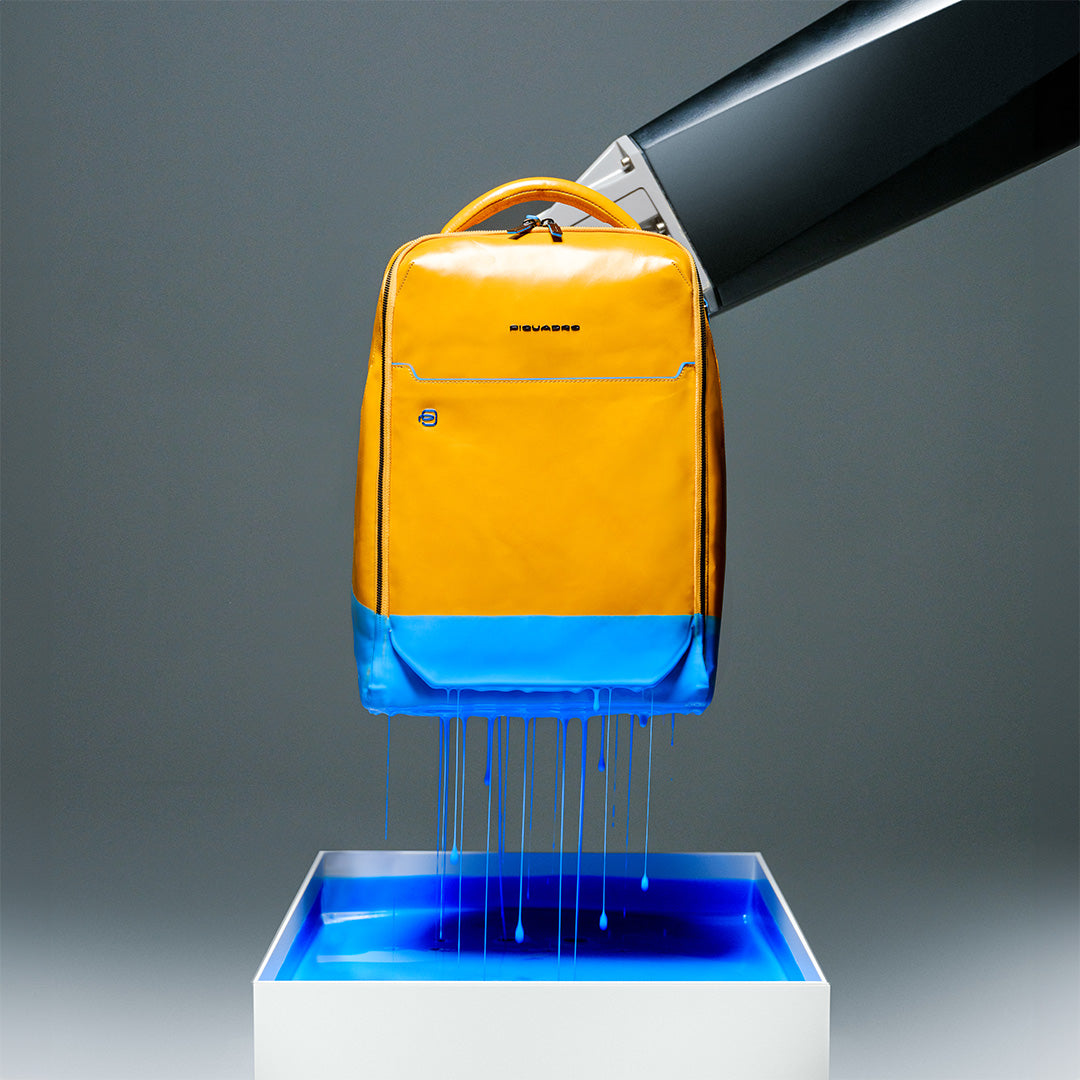
25 YEARS OF BLUE SQUARE
Celebrate with us the 25 years of the iconic collection by Piquadro.

BLACK FRIDAY 2026
Everything You Need to Know About Black Friday 2026.

Piquadro x Audi Revolut F1® team
Piquadro becomes Official Luxury Luggage Partner of the Audi Revolut F1® Team from 2026.
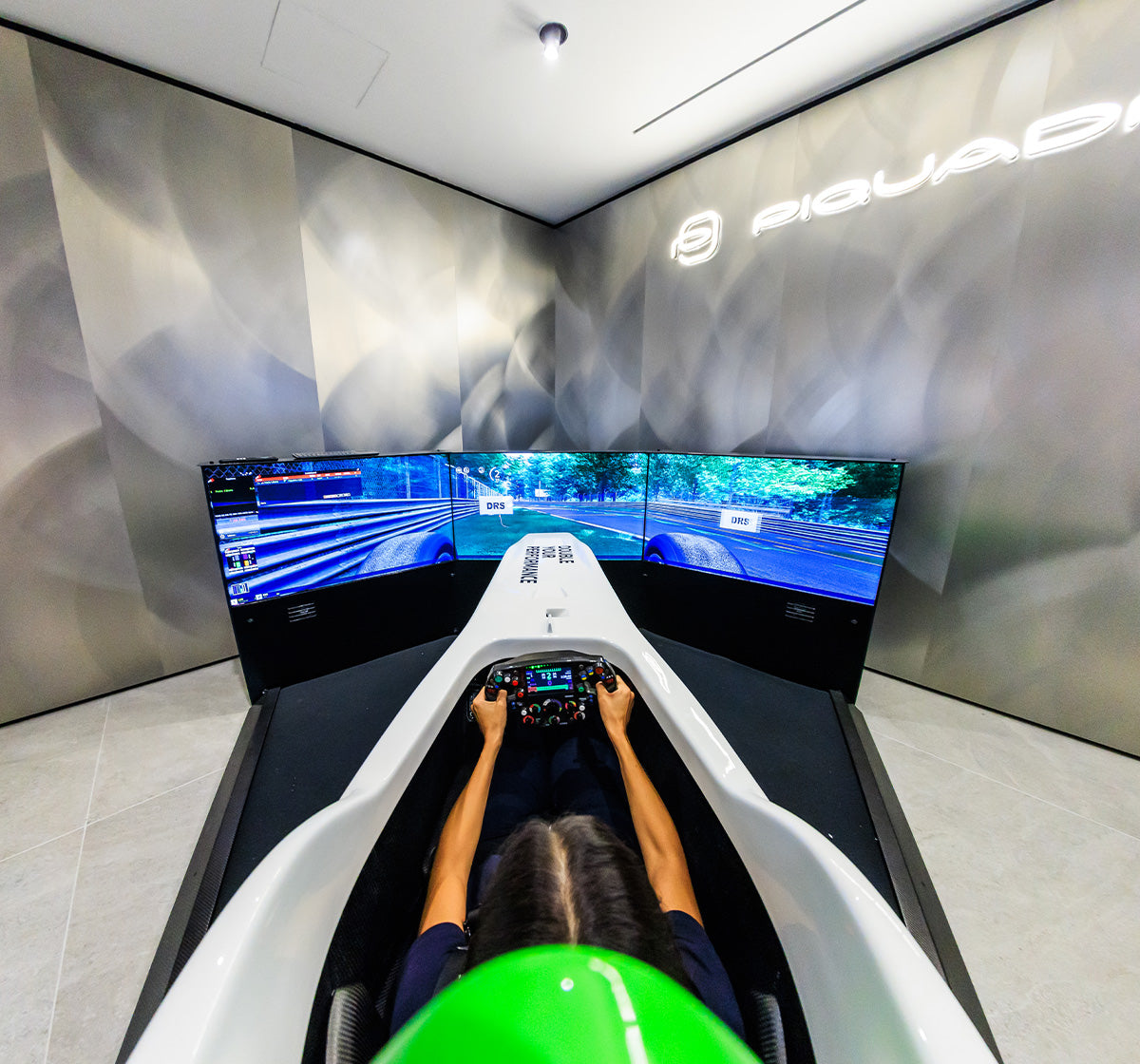
F1 Simulator in Corso Matteotti Store
Try the F1 Simulator in Corso Matteotti Store. Book your session!

Piquadro for Ducati
Piquadro and Ducati join forces in an exclusive partnership celebrating shared values.

Piquadro x FISI
Piquadro presents a special edition dedicated to the Italian National Ski Team.
You have no items in your cart yet, start shopping!
In this section, you’ll find answers to the most frequently asked questions about orders, shipping, purchases and deliveries, account registration, and all the services offered by Piquadro. If you need any further assistance, you can always contact our Customer Service at:customer.service@piquadro.com.
We ship to the following countries:
| Country | Shipping | Free from | Delivery. |
|---|---|---|---|
| Albania | 9 EUR | 150 EUR | 3-6 days; |
| Austria | 9 EUR | 150 EUR | 3-5 days; |
| Belgium | 9 EUR | 100 EUR | 2-4 days; |
| Brazil | 55 BRL | 1200 BRL | 3-6 days; |
| Bulgaria | 9 EUR | 150 EUR | 3-6 days; |
| Canada | 15 CAD | 300 CAD | 3-6 days; |
| Costa Rica | 10 USD | 250 USD | 3-6 days; |
| Croatia | 9 EUR | 150 EUR | 3-6 days; |
| Cyprus | 9 EUR | 100 EUR | 2-4 days; |
| Czechia | 9 EUR | 100 EUR | 2-5 days; |
| Denmark | 70 DKK | 750 DKK | 4-5 days; |
| Estonia | 9 EUR | 100 EUR | 3-6 days; |
| Finland | 9 EUR | 150 EUR | 3-6 days; |
| France | 9 EUR | 100 EUR | 2-4 days; |
| Germany | Free | — | 2-4 days; |
| Greece | 9 EUR | 150 EUR | 3-5 days; |
| Hong Kong | 80 HKD | 1700 HKD | 2-6 days; |
| Hungary | 9 EUR | 100 EUR | 2-5 days; |
| Indonesia | 10 USD | 250 USD | 3-6 days; |
| Ireland | 9 EUR | 150 EUR | 3-6 days; |
| Israel | 10 USD | 250 USD | 3-6 days; |
| Italy | 9 EUR | 120 EUR | 1-3 days; |
| Japan | 1400 JPY | 20000 JPY | 3-6 days; |
| Latvia | 9 EUR | 100 EUR | 4-8 days; |
| Lithuania | 9 EUR | 100 EUR | 4-6 days; |
| Luxembourg | 9 EUR | 100 EUR | 2-4 days; |
| Malaysia | 40 MYR | 880 MYR | 2-7 days; |
| Malta | 9 EUR | 100 EUR | 1-6 days; |
| Mexico | 199 MXN | 2000 MXN | 3-6 days; |
| Moldova | 9 EUR | 150 EUR | 3-6 days; |
| Netherlands | 9 EUR | 120 EUR | 2-4 days; |
| New Zealand | from 12 USD | 500 USD | 3-6 days; |
| Norway | 9 EUR | 100 EUR | 3-6 days; |
| Panama | 10 USD | 250 USD | 3-6 days; |
| Philippines | 10 USD | 250 USD | 3-6 days; |
| Poland | 39 PLN | 650 PLN | 3-5 days; |
| Portugal | 9 EUR | 150 EUR | 3-7 days; |
| Romania | 9 EUR | 150 EUR | 3-5 days; |
| Saudi Arabia | 100 SAR | 2000 SAR | 2-8 days; |
| Singapore | 10 USD | 250 USD | 3-6 days; |
| Slovakia | 9 EUR | 100 EUR | 2-4 days; |
| Slovenia | 9 EUR | 100 EUR | 2-5 days; |
| South Korea | 13000 KRW | 300000 KRW | 3-6 days; |
| Spain | 9 EUR | 100 EUR | 2-4 days; |
| Sweden | 9 EUR | 100 EUR | 3-5 days; |
| Switzerland | 9 EUR | 200 EUR | 1-3 days; |
| Taiwan | 320 TWD | 7200 TWD | 3-6 days; |
| Thailand | 10 USD | 250 USD | 3-6 days; |
| United Arab Emirates | from 40 AED | 1500 AED | 2-4 days; |
| United Kingdom | 6 GBP | 75 GBP | 1-3 days; |
| United States | from 12 USD | 500 USD | 2-3 days; |
| Vietnam | 10 USD | 250 USD | 3-6 days; |
Your country (Japan): delivery in 3-6 days from order confirmation.
The shipping country and the billing country can be different. If a country is not in the list, we cannot deliver there yet.
Uso dei cookies su Piquadro
Cosa sono i cookies?
I cookies sono stringhe di testo di piccole dimensioni conservate nel tuo computer quando si visitano determinate pagine su internet. Per ordinare prodotti su Piquadro, è necessario che i cookies siano abilitati. Se non vuoi accettare i cookies, potrai comunque navigare sul sito e usarlo per finalità di ricerca. Nella maggior parte dei browser, i cookies sono abilitati, in calce troverai le informazioni necessarie per modificare le impostazioni dei cookies sul tuo browser. I cookies non sono dannosi per il tuo device. Nei cookies che generiamo, non conserviamo informazioni identificative personali quali ad esempio dettagli sulle carte di credito, ma usiamo informazioni criptate raccolte dagli stessi per migliorare la vostra permanenza sul sito. Per esempio, sono utili per identificare e risolvere errori, oppure per determinare prodotti correlati rilevanti da mostrare al visitatore durante la navigazione. Vi forniamo queste informazioni in quanto parte integrante della nostra iniziativa finalizzata al rispetto della legislazione recente, e per assicurare la nostra onestà e trasparenza in merito alla tua privacy quando ti servi del nostro sito internet. Stiamo lavorando su ulteriori migliorie riguardanti il tema della privacy e dei cookies concernenti il sito. Ulteriori informazioni sui cookies le trovi sui siti : www.allaboutcookies.org e www.youronlinechoices.eu. I cookies possono svolgere diverse funzioni, come ad esempio permettervi di navigare fra le varie pagine in modo efficiente, ricordando le vostre preferenze, e in generale possono migliorare la permanenza dell’utente. Piquadro si riserva il diritto di utilizzare i cookies, con il consenso dell’utente ove la legge o i regolamenti applicabili così stabiliscano, per facilitare la navigazione su questo sito e personalizzare le informazioni che appariranno. Piquadro si riserva inoltre il diritto di usare sistemi simili per raccogliere informazioni sugli utenti del sito, quali ad esempio indirizzo IP, tipo di browser internet e sistema operativo utilizzato e/o pagine web visitate da un utente, per finalità statistiche o di sicurezza. Piquadro potrà raccogliere queste informazioni per tracciare l’utilizzo del sito e migliorarne determinati aspetti. Di seguito vene riportata una breve illustrazione di come Piquadro utilizza i cookies e strumenti simili.
Cookies di navigazione
Questi cookies sono fondamentali per permettervi di muovervi all’interno del sito e per usare le sue funzionalità, quali ad esempio accedere alle aree riservate del sito internet. Senza questi cookies non possono essere forniti i servizi richiesti, come ad esempio il carrello acquisti o l’e-billing. I cookies strettamente necessari sono utilizzati per memorizzare un identificatore univoco al fine di gestire e identificare l’utente in quanto unico rispetto agli altri utenti che in quel momento stanno visitando il sito, in modo da fornire all’utente un servizio coerente e preciso. Alcuni esempi comprendono: • Il ricordo di precedenti azioni (per esempio testo inserito) durante la navigazione a ritroso verso una pagina nella medesima sessione; • Gestione e passaggio di token di sicurezza a differenti servizi all’interno di un sito internet per identificare lo status del visitatore (per esempio, registrato o non registrato); • Mantenimento dei token per l’implementazione di aree riservate del sito internet; • Instradamento dei clienti verso specifiche versioni/applicazioni di un servizio, come potrebbe rendersi necessario durante una migrazione tecnica.;
Performance cookies
Questi cookies possono essere di prima partePiquadro o di terza partepartner, di sessione o persistenti, il loro utilizzo è limitato alla performance e al miglioramento del sito internet. Questi cookies raccolgono informazioni su come un visitatore usa il sito, quali ad esempio le pagine visitate. Questi cookies non raccolgono informazioni che possono identificare l’utente. Tutte le informazioni raccolte da questi cookies sono aggregate in forma anonima e sono utilizzate solo per migliorare la funzionalità del sito. Alcuni esempi comprendono: • Web Analytics, i dati raccolti sono limitati solamente all’utilizzo del sito internet da parte dell’operatore, per gestire la performance e la struttura del sito. Questi cookies possono essere cookies di parte terza, ma le informazioni saranno usate esclusivamente da chi si occupa della pubblicazione del sito internet visitato; • Tracciamento degli affiliati da parte di partner di Piquadro — i cookies sono introdotti dai Partner e utilizzati da questi ultimi esclusivamente per sapere se utente proveniente da un altro sito ha eseguito l’acquisto di un prodotto o servizio su Piquadro; • Gestione degli errori — Misurazione degli errori che si presentano sul sito, solitamente questa funzione supporterà il miglioramento dei servizi o la gestione dei reclami e sarà generalmente strettamente legata all’analitica web; • Testare differenti strutture delle pagine del sito — Test sulle variazioni della struttura, usando solitamente test A/B o multivariabili, per assicurare che nelle sessioni correnti e successive venga conservato un aspetto coerente per l’utente del sito
Cookies funzionali
Questi cookies possono essere di Piquadro o di partner, avere durata di sessione o persistenti. Questi cookies solitamente sono conseguenti ad un’azione dell’utente, ma possono essere implementati anche nella fornitura di un servizio non esplicitamente richiesto ma offerto all’utente. Possono essere utilizzati anche per evitare che si offra di nuovo a quel dato utente un servizio in precedenza offerto e rifiutato. Inoltre, questi cookies permettono ai sito di ricordare le scelte dell’utente (quali ad esempio nome utente, lingua, paese di origine, etc...). Le informazioni raccolte da questi cookies sono anonime e non possono tracciare il comportamento dell’utente su altri siti. Alcuni esempi comprendono: • ricordare le impostazioni che un utente ha applicato a un sito internet quali ad esempio layout, dimensione del font, preferenze, colore etc; • ricordare una scelta di modo che non venga più richiesta la compilazione di un questionario. • rilevare se un servizio è già stato offerto, quale ad esempio offerta di un tutorial per visite successive del sito internet; • Fornire informazioni in modo da permettere il funzionamento di un servizio opzionale quale ad esempio l’offerta di una sessione in live chat. • Adempimento di una richiesta dell’utente quale ad esempio presentazione di un commento.
Cookie di terze parti per marketing/retargeting
Questi cookie sono utilizzati da partner di Piquadro, al fine di presentarti dei banner pubblicitari di Piquadro quando ti trovi in altri siti, mostrandoti gli ultimi prodotti che hai guardato su Piquadro. Mentre navighi su Piquadro, questi cookie sono utilizzati anche per mostrarti prodotti che potrebbero interessarti o simili a quelli che hai guardato in precedenza, basandosi sulla tua cronologia di navigazione. L'uso di questi cookie non implica il trattamento di dati personali, ma può permettere la connessione al tuo computer o ad altri dispositivi e rintracciare i dati salvati: questi cookie si connettono al browser installato sul tuo computer o su altri dispositivi utilizzati durante la navigazione sul nostro sito.
Come posso disabilitare i cookies?
La maggior parte dei browser accettano i cookies automaticamente, ma potete anche scegliere di non accettarli. Si consiglia di non disabilitare questa funzione, dal momento che ciò potrebbe impedire di muoversi liberamente da una pagina all’altra e di fruire di tutte le peculiarità del sito. Se non desiderate che il vostro computer riceva e memorizzi cookies, potete modificare le impostazioni di sicurezza del vostro browser (Internet Explorer, Google Chrome, Safari etc.). In ogni caso, si noti che determinate parti del nostro Sito possono essere utilizzate nella loro pienezza solo se il vostro browser accetta i cookies; in caso contrario, non sarete in grado di aggiungere prodotti al vostro carrello ed acquistarli (per esempio). Di conseguenza, la vostra scelta di rimuovere e non accettare cookies potrà influenzare negativamente la vostra permanenza sul nostro Sito. Se desiderate modificare le impostazioni dei vostri cookies, entrando nelle impostazioni dei vari browser, di seguito si riportano brevi istruzioni su come effettuare questa operazione nei quattro browser più diffusi:
Microsoft Internet Explorer
Cliccare l’icona 'Strumenti' nell’angolo in alto a destra e selezionare 'Opzioni internet'. Nella finestra pop up selezionare 'Privacy'. Qui potrete regolare le impostazioni dei vostri cookie.
Google Chrome
Cliccare la chiave inglese nell’angolo in alto a destra e selezionare 'Impostazioni'. A questo punto selezionare 'Mostra impostazioni avanzate’ (“Under the hood'”) e cambiare le impostazioni della 'Privacy'.
Mozilla Firefox
Dal menu a tendina nell’angolo in alto a sinistra selezionare 'Opzioni'. Nella finestra di pop up selezionare 'Privacy'. Qui potrete regolare le impostazioni dei vostri cookies..
Safari
Dal menu di impostazione a tendina nell’angolo in alto a destra selezionare 'Preferenze'. Selezionare 'Sicurezza' e qui potrete regolare le impostazioni dei vostri cookies.
Per saperne di più riguardo ai cookie e come gestire o disabilitare quelli di terze parti o di marketing/retargeting, visita www.youronlinechoices
Per disabilitare i cookie analitici e per impedire a Google Analytics di raccogliere dati sulla tua navigazione, puoi scaricare il Componente aggiuntivo del browser per la disattivazione di Google Analytics: https://tools.google.com/dlpage/gaoptout.
Questo sito web utilizza i cookie. Utilizziamo cookie, anche di terze parti, sia tecnici che, previo consenso, di profilazione per personalizzare contenuti ed annunci, per fornire funzionalità dei social media e per analizzare il nostro traffico e monitorare il comportamento dei visitatori. Cliccando “Accetta” acconsenti all’uso di tutti i cookie che utilizziamo. Per selezionare in modo granulare soltanto alcune finalità o terze parti puoi cliccare su “Personalizza”. Per proseguire la navigazione mantenendo le impostazioni di default (solo i cookie necessari) clicca su “Chiudi e prosegui (solo necessari)”.Per saperne di più consulta la nostra Cookie Policy.
I cookie sono piccoli file di testo che possono essere utilizzati dai siti web per rendere più efficiente l'esperienza per l'utente. La legge afferma che possiamo memorizzare i cookie sul suo dispositivo se sono strettamente necessari per il funzionamento di questo sito. Per tutti gli altri tipi di cookie abbiamo bisogno del suo permesso. Questo sito utilizza diversi tipi di cookie. Alcuni cookie sono collocate da servizi di terzi che compaiono sulle nostre pagine. In qualsiasi momento è possibile modificare o revocare il proprio consenso dalla Dichiarazione dei cookie sul nostro sito Web. Scopra di più su chi siamo, come può contattarci e come trattiamo i dati personali nella nostra Informativa sulla privacy. Specifica l’ID del tuo consenso e la data di quando ci hai contattati per quanto riguarda il tuo consenso.
Il tuo consenso si applica ai seguenti siti web: www.piquadro.com
ID del consenso: YjwHEPd4aTa3m8ODWp3XYXexBgIjWUV/fXG+Fx7Mnl1nRGwNl9YX7g==Data del consenso: giovedì 7 settembre 2023 alle ore 09:33:02 CEST
Dichiarazione Cookie aggiornata l'ultima volta il 24/07/23 da Cookiebot:
Necessari (26)
I cookie necessari contribuiscono a rendere fruibile il sito web abilitandone funzionalità di base quali la navigazione sulle pagine e l'accesso alle aree protette del sito. Il sito web non è in grado di funzionare correttamente senza questi cookie.
| Nome | Fornitore | Scopo | Scadenza | Tipo |
|---|---|---|---|---|
| SameSite | Webtrekk | Garantisce la sicurezza della navigazione dei visitatori impedendo le falsificazioni delle richieste tra siti. Questo cookie è essenziale per la sicurezza del sito web e del visitatore. | Session | HTTP Cookie |
| __cf_bm | Vimeo | Questo cookie è usato per distinguere tra umani e robot. Questo è utile per il sito web, al fine di rendere validi rapporti sull'uso del sito. | 1 giorno | HTTP Cookie |
| __cfruid | Zendesk | Questo cookie è una parte dei servizi forniti da Cloudflare, tra cui bilanciamento del carico, consegna del contenuto del sito web e connessione DNS per gli operatori del sito web. | Session | HTTP Cookie |
| __zlcid | Zendesk | Questo cookie è necessario per garantire il funzionamento della funzione di chat nell’apposito riquadro sul sito. | Session | HTTP Cookie |
| __zlcstore | Zendesk | Questo cookie è necessario per garantire il funzionamento della funzione di chat nell’apposito riquadro sul sito. | Persistent | HTML Local Storage |
| AWSALB | Sharethrough | Registra quale server-cluster sta servendo il visitatore. Questo è usato nel contesto del bilanciamento del carico, al fine di ottimizzare l'esperienza dell'utente. | 7 giorni | HTTP Cookie |
| AWSALBCORS | Sharethrough | Registra quale server-cluster sta servendo il visitatore. Questo è usato nel contesto del bilanciamento del carico, al fine di ottimizzare l'esperienza dell'utente. | 7 giorni | HTTP Cookie |
| bscookie | Questo cookie viene utilizzato per identificare l'utente attraverso un'applicazione. Ciò consente al utente di accedere ad un sito web tramite la sua applicazione LinkedIn, ad esempio. | 1 anno | HTTP Cookie | |
| CookieConsent | Cookiebot | Memorizza lo stato del consenso ai cookie dell'utente per il dominio corrente | 1 anno | HTTP Cookie |
| frontend | www.piquadro.com | Memorizza un ID casuale che garantisce che un utente possa essere identificato in modo univoco come ospite o utente connesso. Funzioni come "Ultimi elementi visualizzati" o la conservazione dello stato di accesso sono collegati a questo cookie. | 1 giorno | HTTP Cookie |
| gdpr | ID5 | Determina se il visitatore ha accettato la casella di consenso sui cookie. Ciò evita che la casella del consenso riappare al momento del rientro. | 1 giorno | HTTP Cookie |
| id | Mapp | Preserva gli stati dell'utente nelle diverse pagine del sito. | 1 anno | HTTP Cookie |
| li_gc | Memorizza lo stato del consenso ai cookie dell'utente per il dominio corrente | 180 giorni | HTTP Cookie | |
| PHPSESSID | www.piquadro.com | Preserva gli stati dell'utente nelle diverse pagine del sito. | 1 giorno | HTTP Cookie |
| r | Mapp | Garantisce la sicurezza della navigazione dei visitatori impedendo le falsificazioni delle richieste tra siti. Questo cookie è essenziale per la sicurezza del sito web e del visitatore. | 7 giorni | HTTP Cookie |
| SERVERID | Eyeota | Questo cookie viene utilizzato per assegnare il visitatore ad un server specifico; questa funzione è necessaria per garantire l’operatività del sito. | 1 giorno | HTTP Cookie |
| session_id | www.piquadro.com | Preserva gli stati dell'utente nelle diverse pagine del sito. | Persistent | HTML Local Storage |
| tc_test_cookie [x2] | piquadro.com www.piquadro.com | Questo cookie determina se il browser accetta i cookie. | Session | HTTP Cookie |
| tCdebugLib | piquadro.com | Individua e registra potenziali errori nelle funzioni messe a disposizione da terzi sul sito. Il cookie proviene dal tag manager del sito, che consente al proprietario del sito di implementare funzionalità e servizi di terze parti sul proprio sito. | 30 giorni | HTTP Cookie |
| TCSESSION [x2] | piquadro.com Commander1.com | Registra quale server-cluster sta servendo il visitatore. Questo è usato nel contesto del bilanciamento del carico, al fine di ottimizzare l'esperienza dell'utente. | 1 giorno | HTTP Cookie |
| tmr_tcdhn | Mail.ru | Questo cookie determina se il browser accetta i cookie. | 1 giorno | HTTP Cookie |
| ts | RTB House | Questo cookie è necessario per la funzione di accesso PayPal sul sito web. | 1 anno | HTTP Cookie |
| u | RTB House | Necessario per la funzione di registrazione sul sito web. | 1 anno | HTTP Cookie |
| ZD-suid | Zendesk | ID univoco che identifica la sessione dell'utente. | Persistent | HTML Local Storage |
Preferenze (3)
I cookie di preferenza consentono al sito web di memorizzare informazioni che ne influenzano il comportamento o l'aspetto, quali la lingua preferita o la località nella quale ti trovi.
| Nome | Fornitore | Scopo | Scadenza | Tipo |
|---|---|---|---|---|
| __zlcstore | Zendesk | Necessario per la corretta funzionalità della chat-box del sito web. | Session | HTTP Cookie |
| remixlang | Vk | Determina la lingua preferita del visitatore. Consente al sito web di impostare la lingua preferita al rientro del visitatore. | 1 anno | HTTP Cookie |
| ZD-store | Zendesk | Registra se l'assistente di self-service Zendesk Answer Bot è stato visualizzato all'utente del sito web. | Persistent | HTML Local Storage |
Sign up for the newsletter to receive a 10% discount on your first order and promotional communications, special offers, and updates.
* Required fields
Having carefully read the Privacy Policy, by entering my email address and clicking the "Subscribe" button, I consent to Piquadro SPA and the other group companies processing my personal data for the marketing purposes related to the services offered and market research.
